
WHOOP with ChatGPT or Claude: AI training and recovery
Already use WHOOP? Athmex gives ChatGPT or Claude the goals, PBs, races and real-life constraints behind your training, so its plans, workouts and race advice fit you. Create your free Athmex account to see your WHOOP connection options.
You. Your fitness. Your activity data. Together in Claude and ChatGPT.
Can you connect WHOOP to ChatGPT or Claude?
ChatGPT or Claude can turn your WHOOP Recovery, Strain and sleep into more personalised coaching when it also knows your goals, fitness, PBs and races, which Athmex keeps ready in every conversation. Create your free Athmex account and we'll show you the available options for using your WHOOP training in ChatGPT or Claude alongside your profile.
WHOOP shows what happened. Athmex explains what you're training for.
Your training platform shows what you've done. Athmex gives ChatGPT or Claude the goals, fitness, races and real-life constraints behind it, helping your AI coach create better training plans, workouts and race advice.
WHOOP records
- Recovery and HRV
- Strain and Activity Strain
- Sleep Performance and Sleep Need
- Resting heart rate and respiratory rate
- Workouts and Journal entries
Athmex adds
- Your race and how far away it is
- The session each day is meant to be
- Thresholds and PBs you've confirmed
- Days and hours you can train
- Injuries and constraints
- Your current priority
You. Your fitness. Your activity data. Together in Claude and ChatGPT.
WHOOP gives a signal; the training decision still needs context
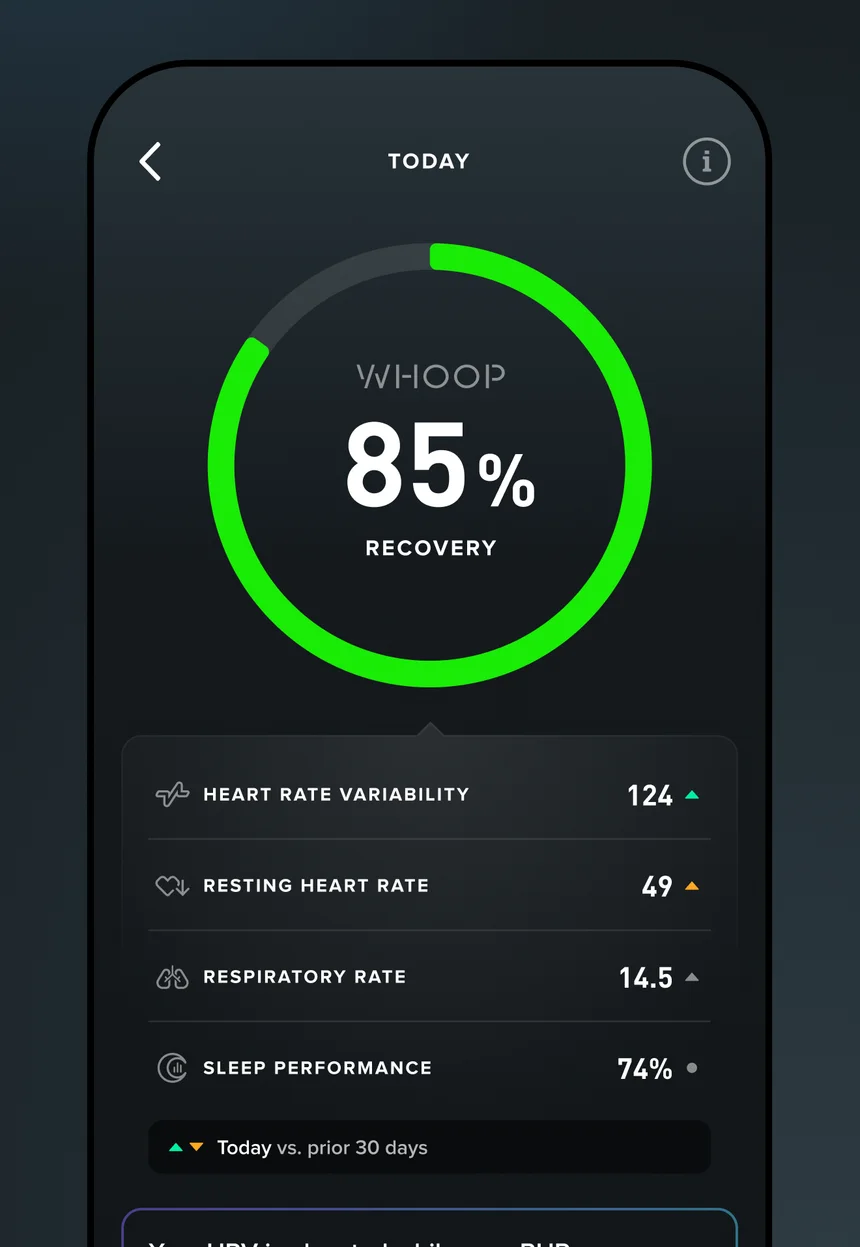
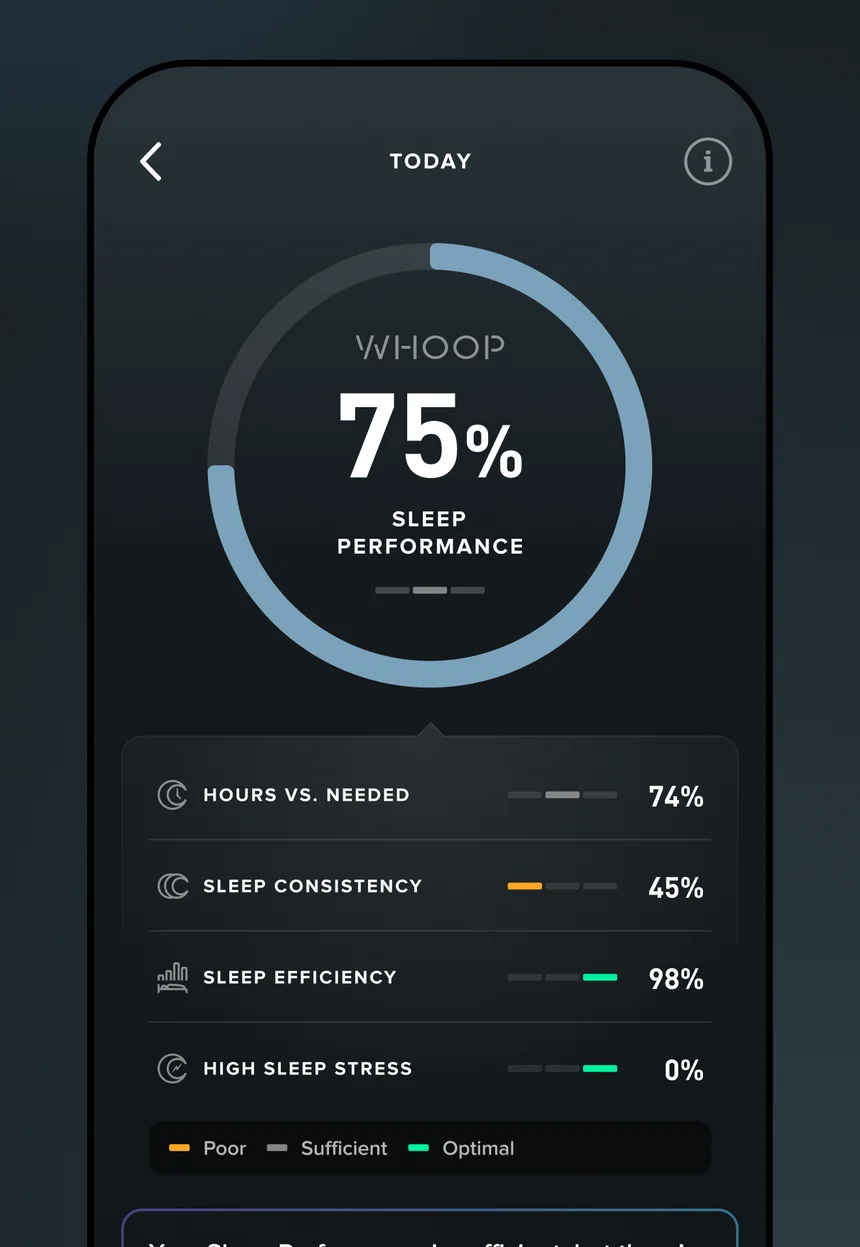
A WHOOP member thinks in Recovery, Strain and Sleep. Each morning's Recovery score draws on HRV, resting heart rate, respiratory rate and sleep. Strain measures the day's cardiovascular load, and each workout carries its own Activity Strain. Sleep Performance compares the night with your Sleep Need.
Those are strong signals. They don't say what to do. A 34% Recovery in a build block and a 34% Recovery in race week call for different answers, and nothing in the WHOOP app says which week you're in.
What should low Recovery actually change?
Sometimes nothing. In taper, low Recovery is often travel, nerves or a change in routine, and the session should stay. In the middle of a hard block it might mean swapping two days. After illness it might mean a week of easy training.
The assistant can only choose between those if it knows the race date, what today's session is for and what you've done recently. Athmex keeps the first two ready; your WHOOP data supplies the third.
Strain across a mixed-sport week
WHOOP measures Strain across everything: runs, rides, gym sessions, football, a long day on your feet. That makes it good at showing total load, and harder to read for a specific goal. A high-Strain week of five-a-side isn't the same preparation as a high-Strain week of threshold runs.
Tell the assistant what the week was meant to be. With your sports and priorities in Athmex, it can judge whether Strain landed in the right places.
Sleep and HRV trends versus single days
One bad night rarely matters. A week of falling HRV and short sleep usually does. AI coaching is most useful on the trend: noticing it early, asking what changed, and adjusting the plan before a small problem becomes a lost week.
The Journal helps here. Late meals, alcohol, travel and stress all show up in WHOOP's Journal insights, and they're the context an assistant needs to separate lifestyle from training.
WHOOP for runners, cyclists and triathletes
WHOOP records effort from heart rate, so it works across every sport without extra sensors. That's its strength for multi-sport athletes, and its limit: it doesn't know your pace, your power or the purpose of each session.
Runners
Pair WHOOP's recovery picture with the paces you train to. A low Recovery on a tempo day might mean running the session by effort instead of pace.
Cyclists
Strain on a long ride and Strain on a short threshold session can look similar. Your FTP and the ride's purpose tell the assistant which was which.
Triathletes
Three sports and one recovery score. Keep your race format and weakest discipline in Athmex so the assistant knows which session to protect on a poor morning.
From a WHOOP number to a coaching decision
A few examples of how athlete context changes the answer:
Recovery is green but you feel flat
The score isn't the whole story. The assistant can weigh how you feel, your recent Strain and what the day's session is for.
Sleep Need keeps rising
Often a sign the week is heavier than it looks. With your plan in view, the assistant can suggest where to ease off.
HRV drops after travel
Normal after long flights. If a race is close, the assistant can reshape the days around it.
Race-week recovery
Race week is when recovery data is most tempting to over-read. An assistant that knows your race date, the course and your plan can help you stay calm about a low morning and focus on what still matters: sleep, fuelling and not doing too much.
What ChatGPT or Claude could help with around WHOOP
- A red Recovery on interval day
- Decide whether Thursday's hard session should move, given your race date and recent Strain.
- Coaching around poor sleep
- Plan the next few days after short Sleep Performance without losing the key sessions.
- Strain in the wrong places
- Check that high-Strain days are the ones that matter for your goal.
- Journal patterns
- Discuss what travel or late meals seem to do to recovery before a race.
Questions WHOOP athletes ask about ChatGPT and Claude
Can ChatGPT use WHOOP Recovery?
Yes, when you share the score. Athmex supplies the race and priorities that decide what a Recovery score should change.
Can Claude understand WHOOP Strain?
Yes, when you share your WHOOP Strain figures. Athmex gives Claude your race goals, training priorities and available hours, so it can consider those figures in context.
Can AI coach around poor WHOOP sleep?
Yes, especially when it knows your race date and the purpose of each session. Athmex keeps those ready so the assistant can adjust the week sensibly.
Can ChatGPT use WHOOP HRV?
Yes, when you share the trend. HRV is most useful read over several days and against your training phase, which Athmex keeps ready.
Does WHOOP have its own ChatGPT or Claude connector?
Create your free Athmex account and we'll show you the available connection options for WHOOP with ChatGPT or Claude. Whichever you use, Athmex keeps your races, goals and constraints ready, so a red Recovery is read against what you're training for.
Give ChatGPT or Claude your WHOOP recovery, and the training it's recovering for.
- 1
Create your free account
It takes a couple of minutes.
- 2
Build your athlete profile
Add your goals, races, PBs, thresholds, availability and constraints.
- 3
Connect Athmex to ChatGPT or Claude
One connection, and your assistant has your profile in every conversation.
- 4
See your WHOOP connection options
Your Athmex account shows the available connection options for WHOOP with ChatGPT or Claude.
You. Your fitness. Your activity data. Together in Claude and ChatGPT.