
Use Strava with ChatGPT or Claude for better AI coaching
Already use Strava? Athmex gives ChatGPT or Claude the goals, PBs, races and real-life constraints behind your training, so its plans, workouts and race advice fit you. Create your free Athmex account to see your Strava connection options.
You. Your fitness. Your activity data. Together in Claude and ChatGPT.
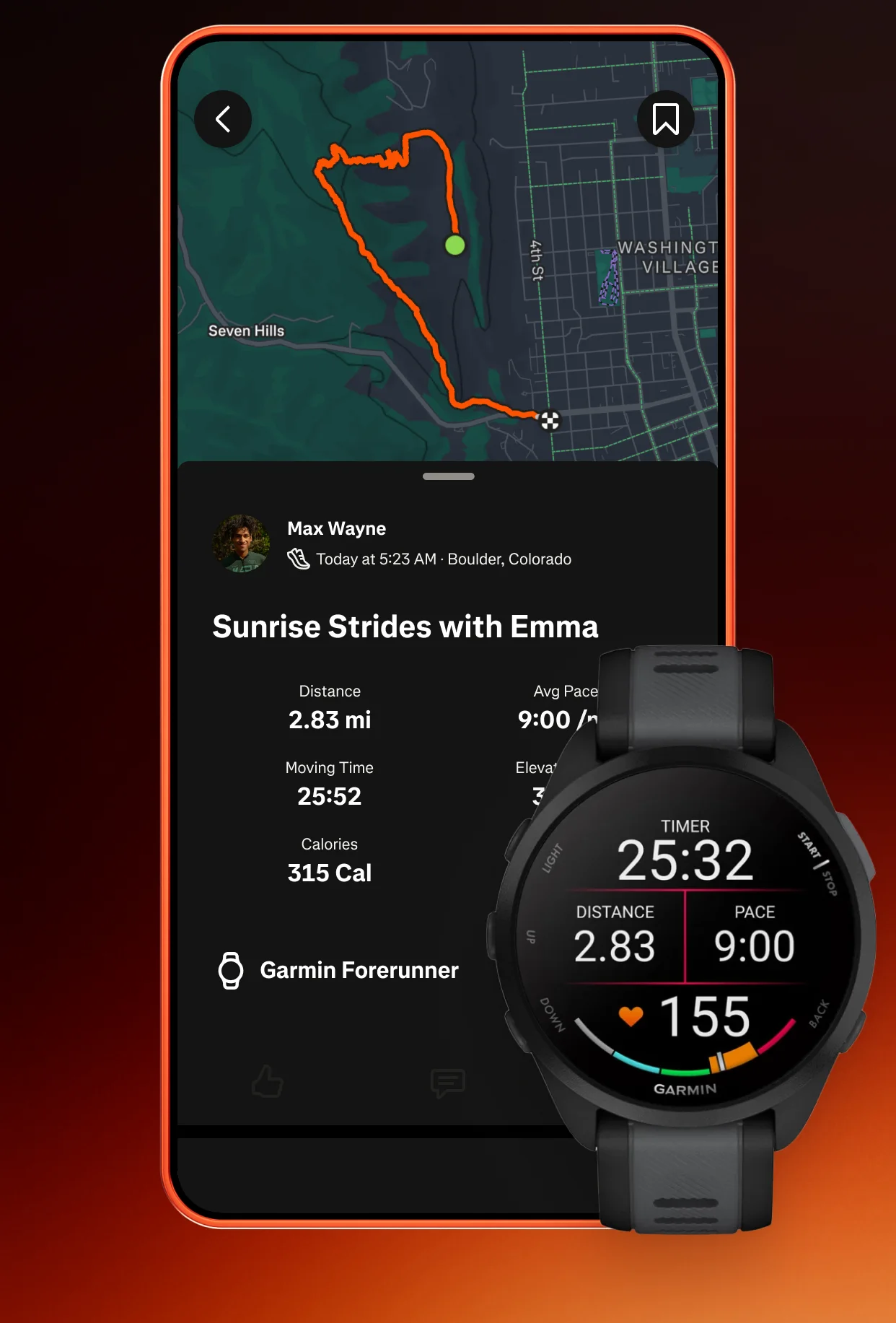
Can you connect Strava to ChatGPT or Claude?
ChatGPT or Claude can turn your Strava runs and rides into more personalised coaching when it also knows your goals, fitness, PBs and races, which Athmex keeps ready in every conversation. Create your free Athmex account and we'll show you the available options for using your Strava training in ChatGPT or Claude alongside your profile.
Strava shows what happened. Athmex explains what you're training for.
Your training platform shows what you've done. Athmex gives ChatGPT or Claude the goals, fitness, races and real-life constraints behind it, helping your AI coach create better training plans, workouts and race advice.
Strava records
- Runs, rides, swims and workouts
- Training Log and Progress
- Relative Effort
- Best Efforts, PRs and segments
- Routes, gear and elevation
Athmex adds
- The race you're training for
- PBs you actually recognise, with dates
- Thresholds you've confirmed
- Your weekly availability
- Injuries and constraints
- What this block is for
You. Your fitness. Your activity data. Together in Claude and ChatGPT.
Your Strava history is a training record
For many athletes, Strava is the most complete record they have. Years of runs, rides and swims, synced from Garmin, COROS, Apple Watch, Wahoo, Zwift and the rest. The Training Log lays out each week at a glance. Progress charts compare distance, time and elevation against earlier months.
That record answers questions no single watch can: how the last three marathon builds compared, how long it usually takes you to get back to form after a break, what a typical winter looks like. An AI coach reading it well needs one more thing: what you're trying to do now.
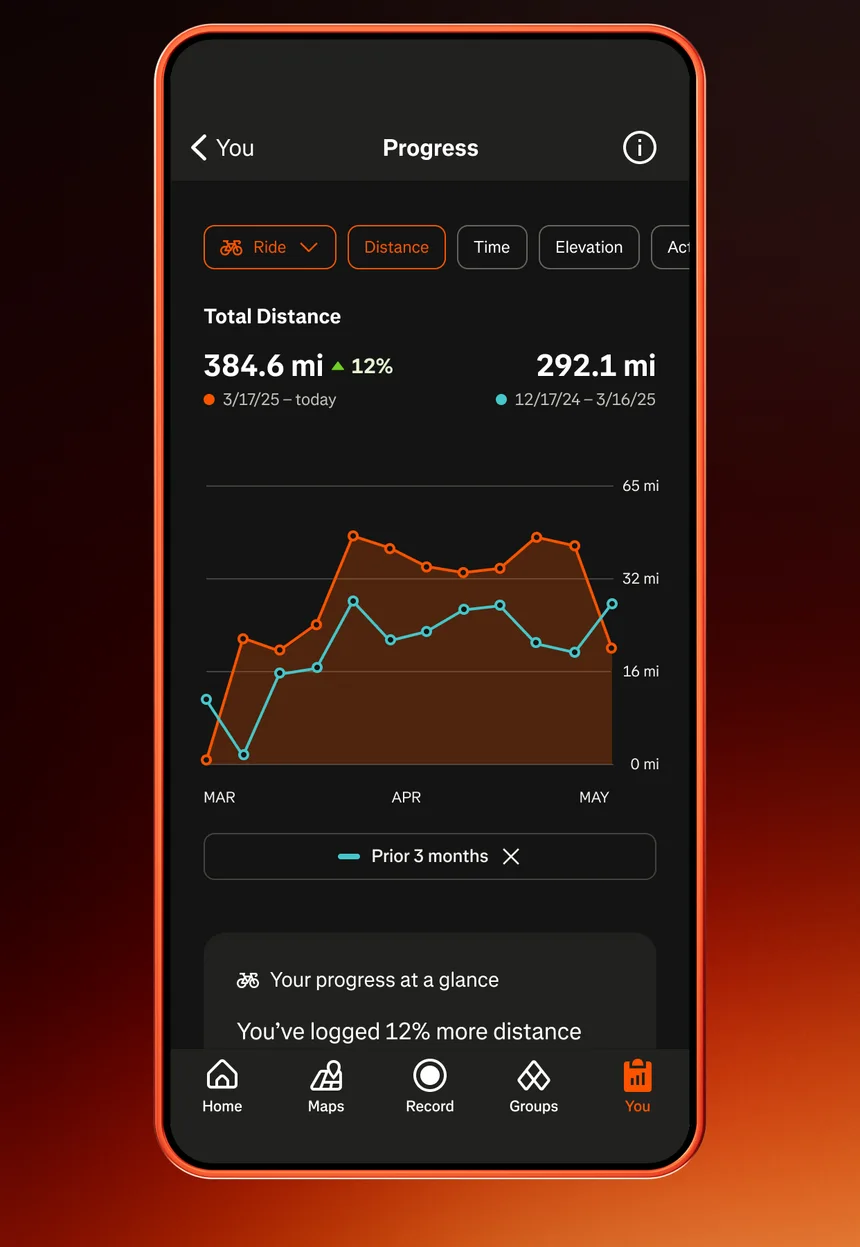
Relative Effort, Best Efforts and PRs
Strava adds its own measures to the raw data. Relative Effort scores how hard an activity was from heart rate, and a weekly range shows whether the week sits above or below your usual. Best Efforts record your fastest times over standard distances inside longer runs. PRs and segment times mark improvements on familiar roads.
Each of these needs interpreting. A new 5K Best Effort inside a downhill long run isn't a new 5K PB. A high Relative Effort week can be the plan or the problem. Keep the PBs you actually recognise, with dates, in Athmex, and the assistant has something reliable to compare against.
Segments, routes and real racing
Segments turn familiar climbs and roads into repeatable tests. Your times on a local hill over a season are a surprisingly good fitness record. Routes plan the long days.
An assistant can use both, carefully. A segment PR on a tailwind day says less than a steady improvement across months. A route that matches your race's climbing is useful rehearsal. With the race profile in your Athmex race notes, ChatGPT or Claude can suggest which of your routes prepare you best.
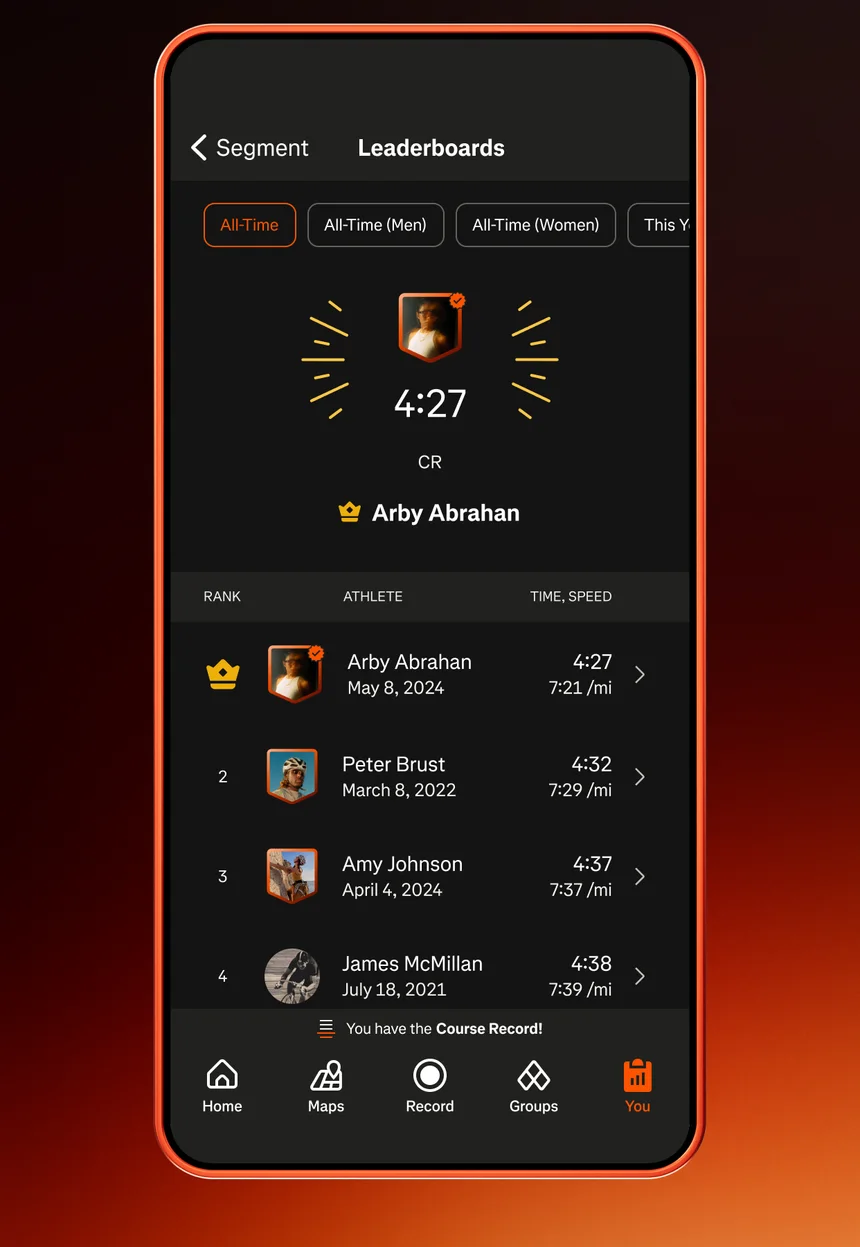
The questions athletes actually ask
Most Strava questions are comparative. Is this week's volume sensible for where I am? Were the easy runs actually easy? Am I fitter than before my last marathon? Should my long run be longer yet? Each one depends on context Strava doesn't hold: the goal, the date, the thresholds you trust and the life around your training.
Runners
Compare the last eight weeks with the build before your PB, check pace and heart rate on easy days against your threshold, and plan the remaining long runs around your race date.
Cyclists
Review power and climbing across a season, check that weekday rides support the weekend's long days, and match training routes to your event's profile.
Triathletes
See how swim, bike and run volume balance across a block, and whether one sport is crowding out another before the race.
From a Strava week to a coaching decision
A few examples of how athlete context changes the answer:
Weekly distance jumps 30%
Planned after a recovery week, risky after an injury. Your Athmex profile tells the assistant which it is.
Relative Effort is high but the runs were easy
Heat, poor sleep or a heart-rate strap problem. The assistant can suggest what to check before changing the plan.
A new PR on the club hill
A good sign. Whether it changes your race goal depends on the course you're targeting and the weeks left.
Strava's own AI features
Strava has introduced Athlete Intelligence, which summarises activities for subscribers inside the app. It describes what an activity shows. Athmex gives ChatGPT or Claude the wider picture, including the race you're preparing for and the constraints you want every conversation to remember.
What ChatGPT or Claude can do with your Strava history
- Compare your build with the race
- Put the last six weeks of Strava training next to the race in your Athmex profile and ask what's missing.
- Check that easy runs were easy
- Review pace and heart rate against the thresholds you trust, not an estimate.
- Read a Best Effort properly
- Decide whether a new Best Effort means your fitness has moved, or whether it was the course.
- Compare this year with last
- Look at a season of riding or running against the goals you set.
- Balance sports
- See how cycling and swimming sit alongside running before a triathlon or marathon block.
Questions Strava athletes ask about ChatGPT and Claude
Can Claude analyse my Strava runs?
Yes, when it has the run details. With your race, PBs and thresholds in Athmex, Claude can judge those runs against what you're training for.
Can ChatGPT use my Strava training?
ChatGPT coaches from your Strava training best when it also knows your goals, PBs, race dates and constraints, which Athmex keeps ready. Create your free Athmex account and we'll show you the available connection options for Strava with ChatGPT.
Can AI compare my Strava training with my race goal?
Yes, and that's where it's most useful. Strava supplies the recent weeks; Athmex supplies the race, its date and your goal time. The assistant can then say what's on track and what's missing.
Can Claude use Strava Best Efforts and segments?
Yes, when they're in the conversation. Keep the PBs you recognise in Athmex so a downhill segment or a GPS glitch isn't mistaken for fitness.
Can ChatGPT use Strava cycling power?
Yes, when the ride's power data is shared. Keep your confirmed FTP in Athmex so the watts are read against the right number.
Does Athmex sync with Strava?
No. Athmex doesn't import Strava activities. It supplies your athlete context alongside Strava in the same assistant.
Give ChatGPT or Claude your Strava history, and what you're training for.
- 1
Create your free account
It takes a couple of minutes.
- 2
Build your athlete profile
Add your goals, races, PBs, thresholds, availability and constraints.
- 3
Connect Athmex to ChatGPT or Claude
One connection, and your assistant has your profile in every conversation.
- 4
See your Strava connection options
Your Athmex account shows the available connection options for Strava with ChatGPT or Claude.
You. Your fitness. Your activity data. Together in Claude and ChatGPT.