
Integrations TrainingPeaks · Training plans
Bring your TrainingPeaks plan into ChatGPT or Claude.
Create your Athmex profile so your assistant knows the athlete behind your TrainingPeaks calendar: your target race, current PBs and thresholds, weekly availability and constraints. Then bring your planned and completed training into the same conversation and ask better questions about what comes next.
Can ChatGPT or Claude use TrainingPeaks training?
Yes. TrainingPeaks can be part of a ChatGPT or Claude coaching setup. Completed workouts usually reach an assistant through the watch or app that recorded them, and you can share your planned week, or numbers like TSS and CTL, in the conversation.
Athmex supplies what the calendar doesn't explain on its own: your target race, the thresholds your plan is built on, your availability and constraints. Start your Athmex profile, connect it to ChatGPT or Claude, and we'll help you bring your TrainingPeaks training into the same setup. Athmex doesn't import TrainingPeaks data.
Where the plan meets reality
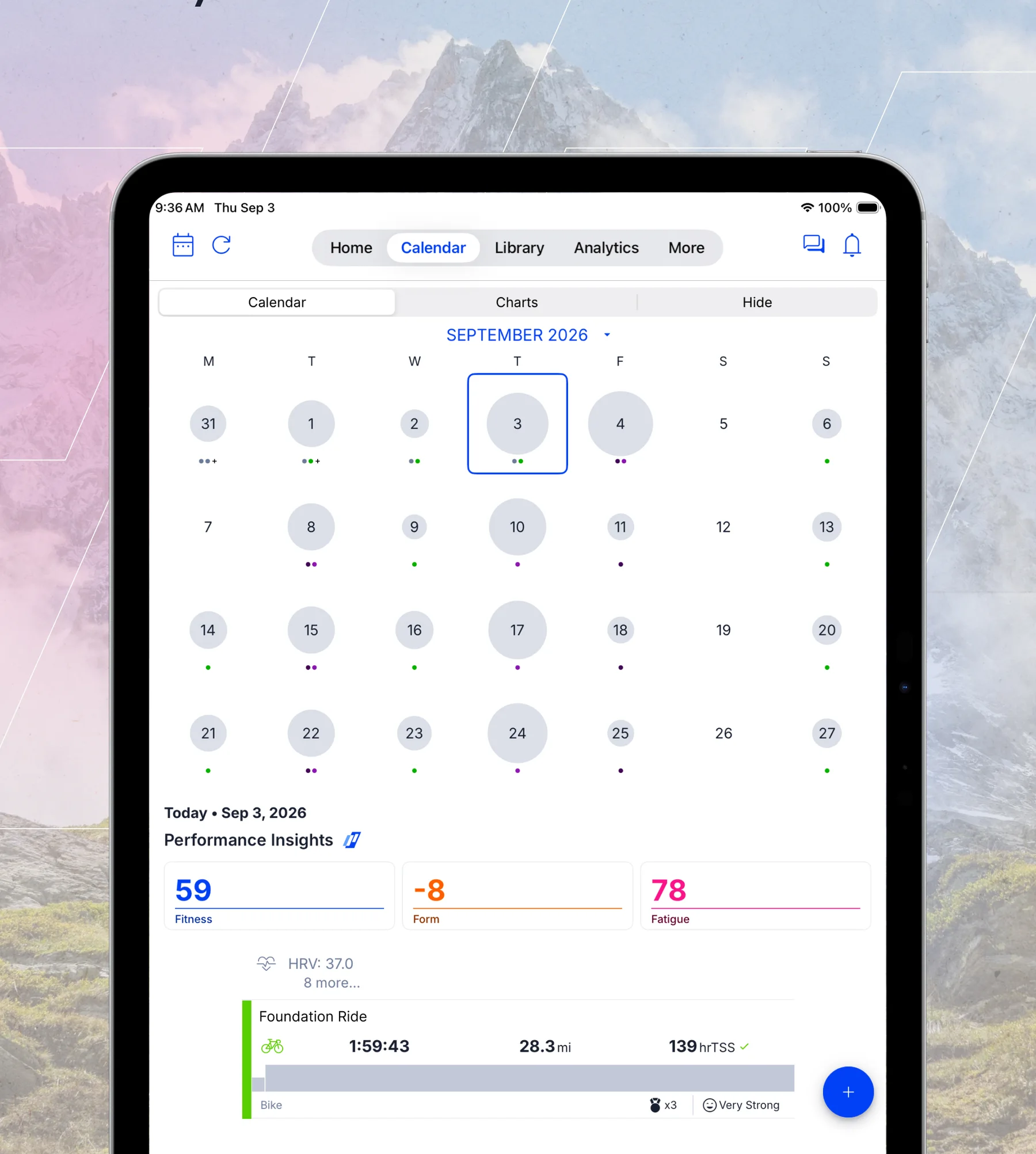
TrainingPeaks is built around a calendar. Planned workouts sit on the days they're meant to happen, often written by a coach or bought as a plan. Completed workouts land on top from your watch or bike computer. The colours tell the story: green when the session matched, yellow when it was close, red when it wasn't done or went very differently.
That comparison is where most coaching questions start. Why did Thursday's session go red? Should I make it up? Does missing two sessions this week matter six weeks out from the race? An AI coach can talk those through with you, once it knows the race and the reasons behind the plan.
TSS and Intensity Factor
Training Stress Score puts a single number on a workout's load, combining duration and intensity against your threshold. An hour at threshold is 100 TSS. Intensity Factor is the intensity part on its own: 0.75 is steady endurance, 0.95 is close to threshold.
Those numbers are only as good as the threshold behind them. If your FTP or threshold pace in TrainingPeaks is out of date, every TSS is off. Keep the thresholds you've confirmed in Athmex, with dates, so the assistant can spot when the numbers and the athlete have drifted apart.
CTL, ATL, TSB and the Performance Management Chart
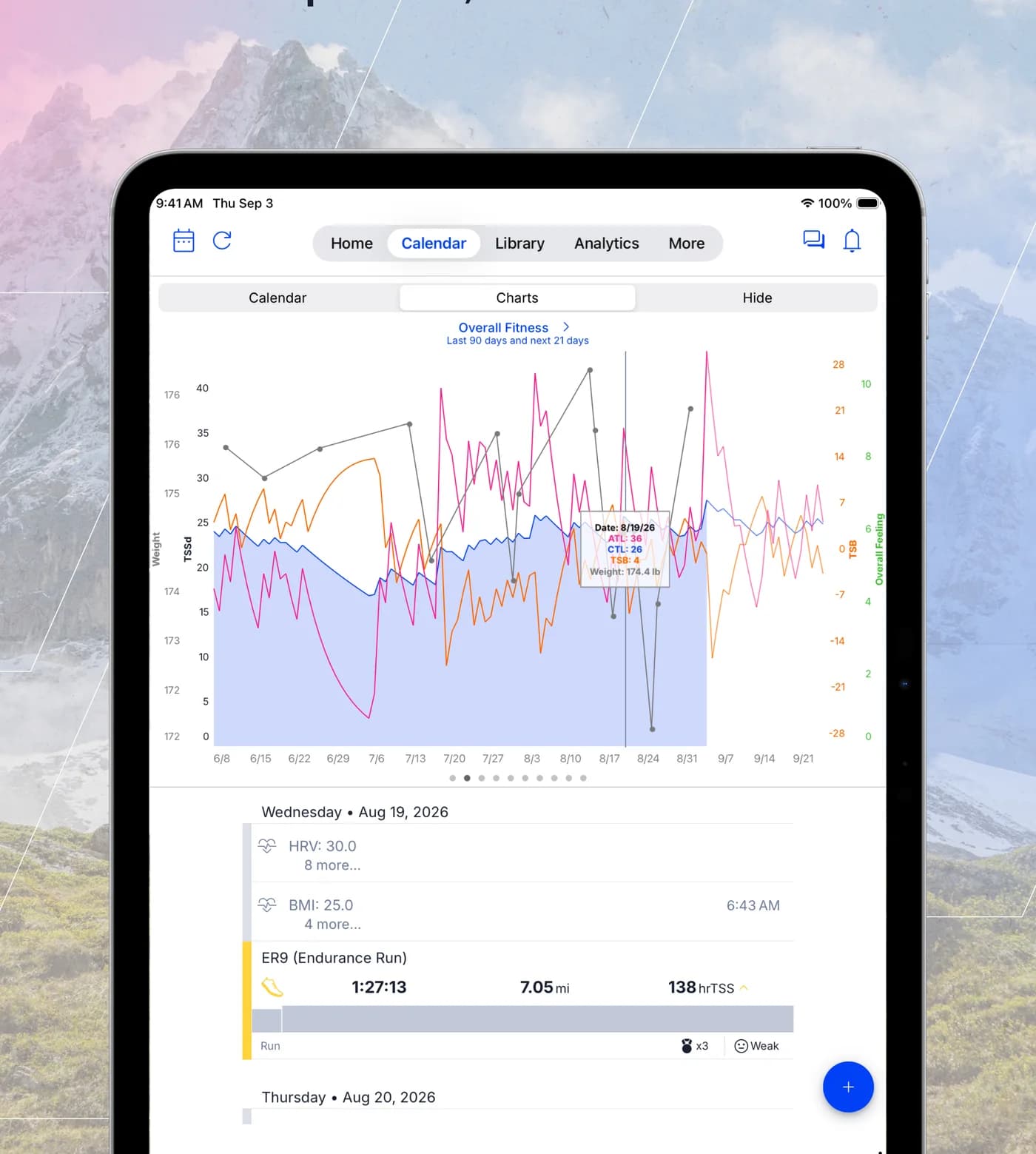
The Performance Management Chart is the heart of TrainingPeaks for many athletes. It tracks three lines. CTL, shown as Fitness, is a long rolling average of daily TSS, roughly six weeks. ATL, shown as Fatigue, is a short rolling average, roughly a week. TSB, shown as Form, is the difference between them.
Read together, they describe a build. CTL climbs slowly as training accumulates. ATL jumps with every hard week. TSB goes negative during heavy training and rises as you taper. A well-timed race usually arrives with CTL near its peak and TSB positive.
The chart can't tell you what the right numbers are for you. A CTL of 80 is a solid base for one athlete and a big risk for another coming back from injury. A TSB of minus 25 might be a planned overload week or the start of trouble. The same numbers mean different things depending on your history, your race and your life.
That's where an AI coach helps. Share your current CTL, ATL and TSB with ChatGPT or Claude, and with your race date, recent history and constraints in Athmex, it can tell you whether the shape looks right for where you are and what the next few weeks should do to it.
Using AI alongside a TrainingPeaks coach
Many TrainingPeaks athletes have a coach. An AI assistant doesn't replace them. It's a place to understand the plan better between conversations: what a session is for, why this week is lighter, what to ask about the taper.
It can also help you bring better information to your coach. A short, clear summary of how the week went and what's changed in your life is more useful than a list of complaints. Your coach has the final say on the plan.
Runners, cyclists and triathletes
The same tools work differently by sport, and the assistant should know which you are.
Runners
rTSS and hrTSS depend on threshold pace and heart rate. Keep both in Athmex, with your race and goal time, and the assistant can check that long runs and tempo sessions are building towards the day.
Cyclists
Power-based TSS is the most precise version. Normalized Power and Intensity Factor show how hard a ride really was. Keep your FTP and test date in Athmex so the assistant knows when zones may be stale.
Triathletes
TrainingPeaks combines swim, bike and run load in one chart, which hides which sport is doing the work. An assistant with your race format and weak points in Athmex can help you see whether the balance fits the race.
Race week and taper
The taper is where TrainingPeaks numbers are watched most closely and misread most often. Form rises, fitness dips slightly, and athletes worry they're losing fitness. They usually aren't.
An assistant that knows your race date, your history and how you've tapered before can help you stay calm and stick to the plan. It can also help with the race itself: pacing from your thresholds, fuelling, and what to do if the weather turns.
TrainingPeaks' own insights
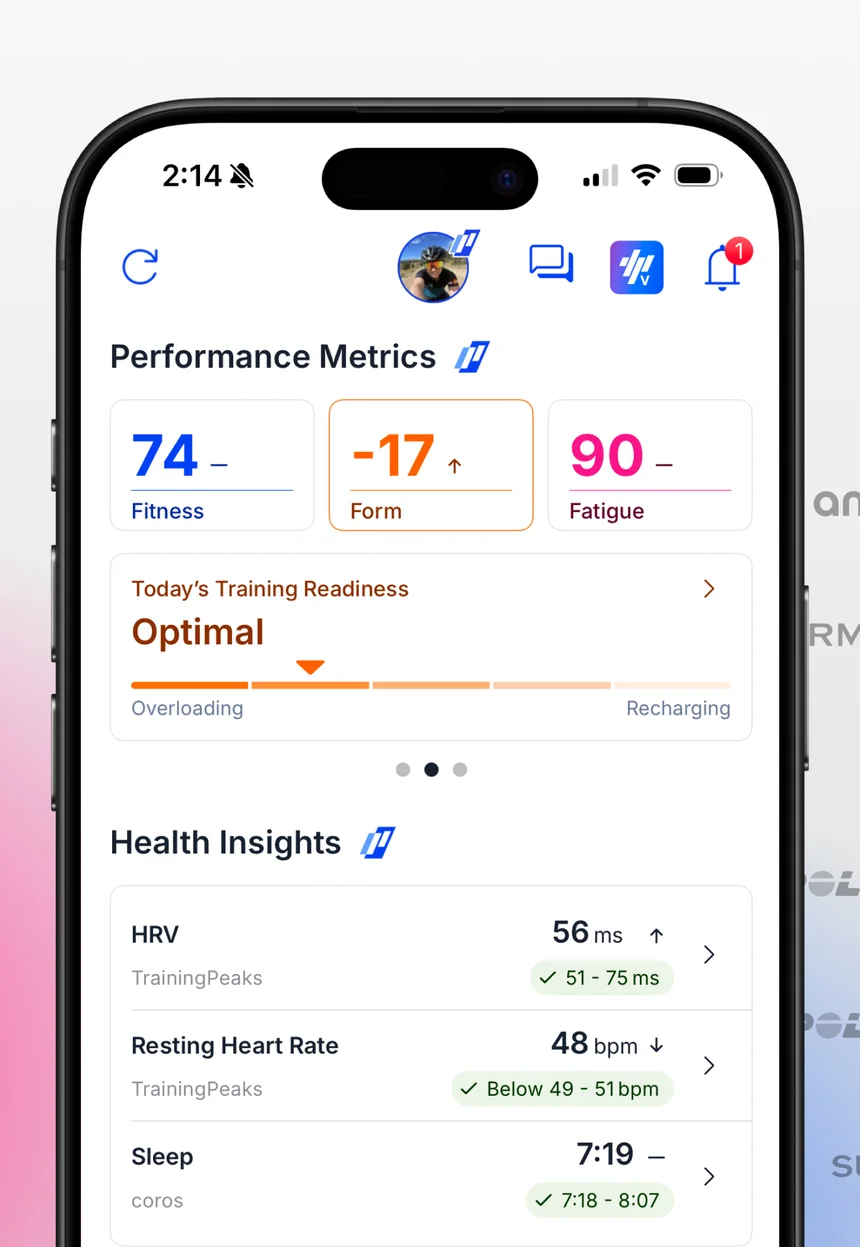
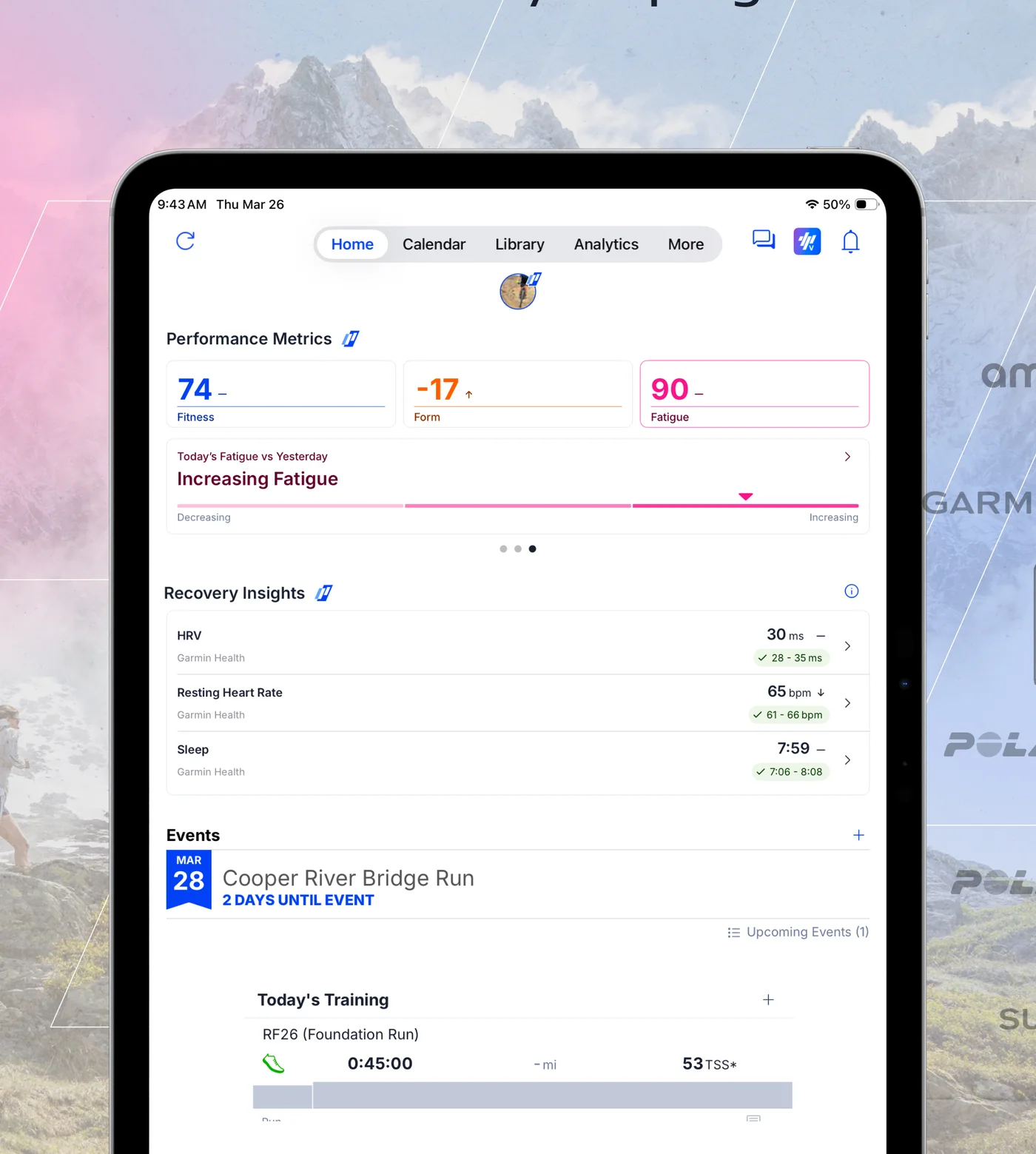
TrainingPeaks keeps adding its own insights, including readiness and recovery views on the home screen. They work inside TrainingPeaks. Athmex gives ChatGPT or Claude your wider athlete picture across every platform you use.
What ChatGPT or Claude can do with your TrainingPeaks training
- Explain the week's plan
- Ask what each session is for, given the race and goal in your Athmex profile.
- Read the PMC
- Talk through whether your CTL, ATL and TSB look right for this point in the build.
- Handle a missed session
- Decide what to do when planned and completed stop matching.
- Plan the taper
- Use your race date and history to think through the final two weeks.
- Prepare for your coach
- Write a clear summary of the week and the questions worth asking.
TrainingPeaks shows what happened. Athmex explains what you're training for.
Your AI coach does the reasoning. It reasons better when it knows the athlete, and that part stays in your Athmex profile for every conversation.
TrainingPeaks records
- Planned and completed workouts
- TSS, Intensity Factor and Normalized Power
- CTL, ATL and TSB on the Performance Management Chart
- Zones and thresholds
- Coach comments and Peak Performances
Athmex adds
- The race and why it matters
- Thresholds you've confirmed, with dates
- Current PBs
- Weekly availability
- Injuries and constraints
- Notes you want every conversation to remember
14 days free · then $6.99/month · cancel anytime
Questions TrainingPeaks athletes ask about ChatGPT and Claude
Can Claude use my TrainingPeaks plan?
TrainingPeaks doesn't offer its own Claude connector. You can share the week's plan in the conversation, and completed workouts can often reach Claude through the device that recorded them.
With your race and thresholds in Athmex, Claude can explain the plan in the context of your goal.
Can ChatGPT understand TSS, CTL and TSB?
Yes. Share your numbers and ChatGPT can explain what they mean and how they're moving. The judgement, whether the shape is right for you, depends on your race date and history, which Athmex keeps ready.
Can AI help me taper using TSB?
It can help you think it through, especially with your race date and past races in Athmex. If you have a coach, they have the final say.
Can I use ChatGPT alongside a TrainingPeaks coach?
Yes. Many athletes use an assistant to understand their plan better and bring clearer questions to their coach, not to replace them.
Can AI tell me if a missed session matters?
It can help you decide, based on what the session was for, where you are in the build and what's coming next.
Does Athmex import TrainingPeaks workouts?
No. Athmex holds your athlete context and connects to ChatGPT or Claude directly.
Give ChatGPT or Claude the athlete behind your TrainingPeaks plan.
- 1
Start your free trial
Create your Athmex account in a couple of minutes.
- 2
Build your athlete profile
Add your goals, races, PBs, thresholds, availability and constraints.
- 3
Connect Athmex to ChatGPT or Claude
One connection, and your assistant has your profile in every conversation.
- 4
Bring in your training
We'll help you identify how to bring your existing training into the same coaching setup.
14 days free · then $6.99/month · cancel anytime